
On this page
Canceling a Polymarket order removes its unfilled remainder; it does not reverse a fill. Find the exact open order, choose the cancellation action in your official trading interface, and check the resulting order and trade records. Treat submitting a request and confirming its outcome as separate steps.
This guide, checked October 6, 2026, covers Polymarket’s international prediction CLOB. It does not document Polymarket US, perpetuals, or a current screen-by-screen account walkthrough. Developers can use the current API documentation linked below to confirm the same distinctions.
How to cancel a Polymarket order and check the result
- Identify the order. Match its market, outcome, side, price and remaining quantity to the instruction you intend to withdraw. Save the order ID where available.
- Check its current state. Look for any amount already filled before acting. A previous screenshot may no longer describe the order.
- Use the narrowest intended action. Cancel that order rather than selecting every order if you only mean to withdraw one instruction.
- Read the confirmation. If an error or timeout occurs, preserve the order ID and check state again. Do not treat missing feedback as proof of success.
- Review fills separately. Confirm which portion matched and which portion stopped resting. Keep that distinction in your trade record.
This is a verification checklist, not a claim about the location or wording of a particular interface button. If your screen does not expose a clear result, use the venue’s official support process and include the order ID, timestamp and a description of the discrepancy.
What happens to a partially filled order?
The official lifecycle guide distinguishes resting orders, matches and onchain settlement. Only the unfilled portion can be canceled. A marketable order in a pending delay window cannot be canceled during that window.
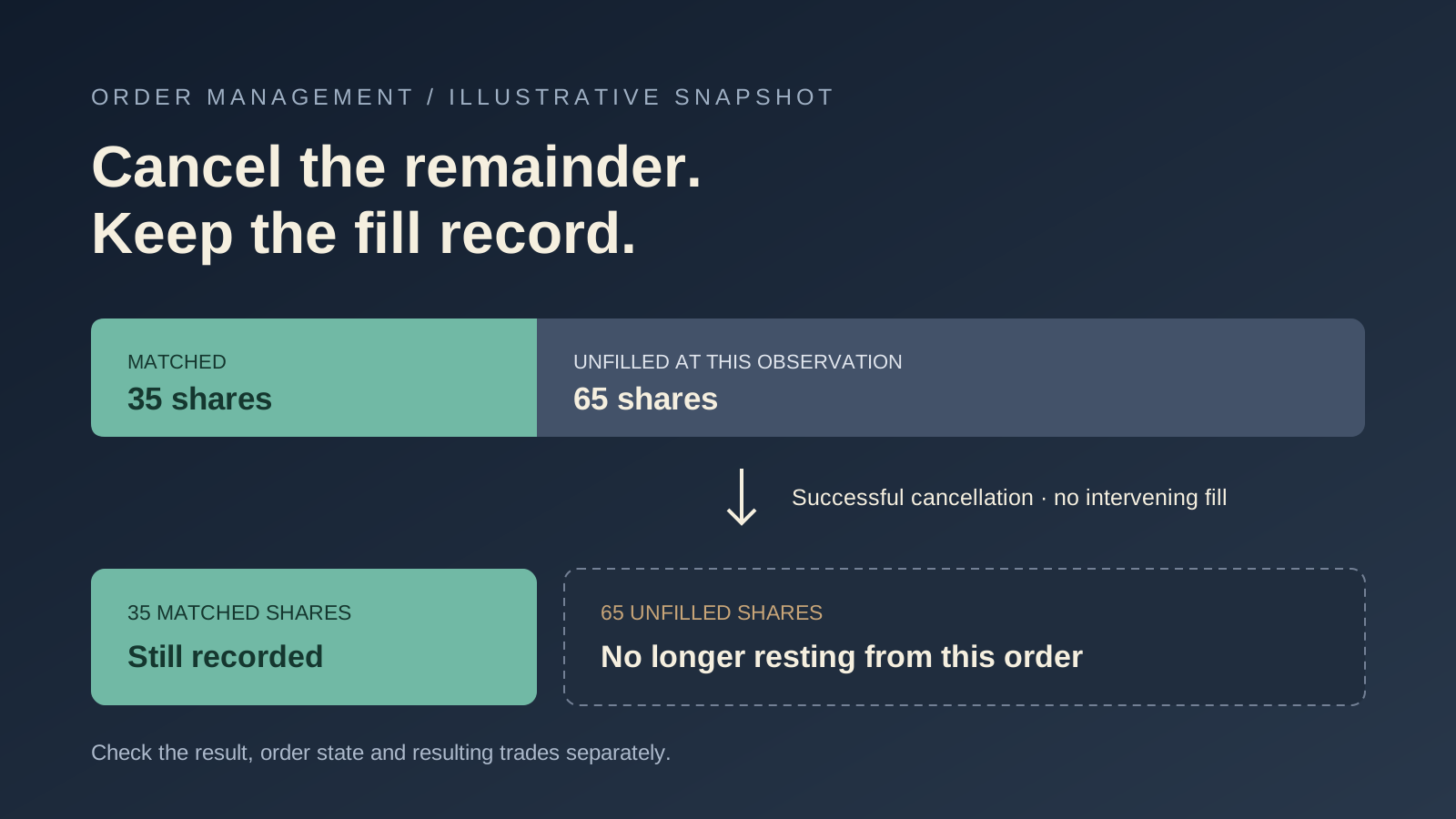
Consider a fictional 100-share buy instruction. At the moment you record it, 35 shares have matched and 65 remain open:
| Illustrative quantity | Before successful remainder cancellation | After successful remainder cancellation, with no intervening fill |
|---|---|---|
| Original order | 100 shares | 100 shares in the history |
| Matched amount | 35 shares | 35 shares still recorded |
| Resting remainder | 65 shares | 0 shares from this order |
Now change one assumption: another 10 shares match before cancellation succeeds. The updated record could show 45 matched shares and 55 removed from the book. Your earlier 65-share calculation would describe the earlier observation, not the eventual outcome. These numbers are examples, not live venue records or a promise of how quickly a request will succeed.
Canceling a buy instruction also differs from selling an existing position. Selling requires a separate order and its own execution conditions. Cancellation itself neither establishes a new sale price nor realizes a guaranteed refund.
Read original size, matched size and status together
The single-order reference allows retrieval of canceled and fully matched orders by ID. Its original_size and size_matched fields are decimal share quantities, already normalized; do not divide them by one million.
Matched size is retained after cancellation and is not the current position balance. The documented CANCELED_MARKET_RESOLVED status removes an unfilled remainder when the market resolves; it does not reverse settled fills.
For the first fictional example, 100 − 35 = 65 is the unmatched quantity at the observed moment. That subtraction alone cannot tell you whether those shares are still resting. Use the current status and resulting records alongside the quantities. A retained original size of 100 after cancellation does not mean the order reopened.
For developers: inspect each cancellation result
The order-management documentation supports known-order cancellation, batches, outcome or condition filters, and account-wide cancellation. The scope determines which instructions the request addresses.
| Scope | What identifies it |
|---|---|
| One known order | Order ID |
| Several known orders | Selected order IDs |
| One outcome | Asset identifier |
| All outcomes in a condition | Condition ID in the market filter |
| Account-wide | Authenticated CLOB credentials’ open orders |
An HTTP 200 response can contain mixed results. The API reports canceled and not_canceled; the TypeScript SDK uses notCanceled for the latter map. Inspect the returned IDs and reasons, then reconcile actual state before deciding whether a retry is appropriate.
Keep authentication context consistent. The management guide notes that session-key reads cover orders and trades associated with that key; deposit-wallet owners cannot fetch authorized session-key orders. A missing order in a different context is not cancellation proof.
Document the context and method version in your integration notes. Do not paste private keys, API secrets or authenticated payloads into a public troubleshooting thread. This page contains no cancellation client and performs no account action.
Refresh state after a timeout or disconnection
The real-time update guide says streams do not replace authoritative account reads or replay every missed change. After reconnecting, fetch open orders and recent trades, then apply subsequent events to that refreshed state.
Order cancellation updates describe the remaining open amount. Trade updates separately track settlement; a match or mined transaction is not the same as final confirmation. Retrying settlement may later confirm, while permanent failure is terminal.
A useful incident note contains four observations: the instruction you intended to withdraw, the request time, the returned result or missing response, and the later order/trade state. Keep the missing-response case labeled unresolved until you have stronger evidence.
Before calling the order canceled
- The identifier refers to the intended market, outcome and side.
- The latest observation distinguishes matched quantity from remaining quantity.
- The result addresses this order, not merely another ID in the same batch.
- A timeout or disconnected stream has been reconciled with a fresh account read.
- Any resulting position and settlement record remains in your history.
Read the limit-order guide for lifetimes and execution policies. The fictional policy simulator illustrates immediate fills and remainders; it does not test live cancellation. Our order-book guide explains the prices and quantities available in a snapshot.
Use Alphascope for market research, then verify account actions and contract rules on the trading venue. Clear research context and a confirmed account action answer different questions.