
On this page
Interactive Brokers provides eligible clients access to prediction-market contracts through a brokerage account and its ForecastTrader experience. The broker, trading interface and contract exchange are different parts of the arrangement. This distinction matters when comparing access, prices and costs.
This is a document-based review of published product information checked November 9, 2026. We did not open an IBKR account, place an order or test customer-specific permissions. The original examples below are calculations, not live quotes.
Which prediction markets does Interactive Brokers offer?
IBKR’s prediction-market page lists Kalshi, CME Group and ForecastEx, with unified access for eligible clients. It describes ForecastTrader access through existing IBKR credentials and supported platforms. Availability varies by affiliate, residence and contract.
Do not read “three exchanges” as three identical copies of every event. Before comparing prices, match the actual event question, outcome, measurement period, resolution source and settlement terms. Similar headlines can describe different payoffs.
Our ForecastEx guide covers that exchange’s contract mechanics. This page focuses on evaluating the IBKR broker and interface across the products it lists.
Eligibility and trading permissions come first
The product page’s disclosures limit event contracts to eligible clients aged 21 or older at specified IBKR entities. US-election Forecast Contracts are restricted to eligible US residents. Additional requirements can apply. Being an IBKR customer does not establish access to every listing.
The page directs existing clients without Forecast/Event Contract permissions to request them. Treat the permission status shown for your actual account as the relevant operational record; do not substitute an article or simulator for approval.
For an access problem, record the broker entity, residence, product, exchange and exact permission message. Ask IBKR support about those specifics. A missing product can reflect account or contract availability rather than a platform-wide outage.
IBKR prediction-market fees: separate the two rows
The official US fee table, verified in the browser on November 9, 2026, lists the following components. Adding the listed rows gives the displayed per-contract totals below; check the applicable order preview and current schedule before using them.
| Contract venue | Listed IBKR fee | Listed exchange fee | Sum of these rows |
|---|---|---|---|
| ForecastEx | $0.00 | $0.01 | $0.01 |
| Kalshi | $0.01 | $0.01 | $0.02 |
| CME | $0.01 | $0.01 | $0.02 |
The schedule says rates can change, vary by arrangement and apply to direct clients. Introducing-broker or adviser charges can be additional; applicable taxes are separate. These are dated published components, not a universal all-in promise or the direct-to-exchange fee schedule.
A zero broker-commission row does not remove an exchange-fee row. Likewise, a broker’s Kalshi contract price should not be evaluated using an assumed fee from another account route.
Original comparison: different prices, the same $57 entry cost
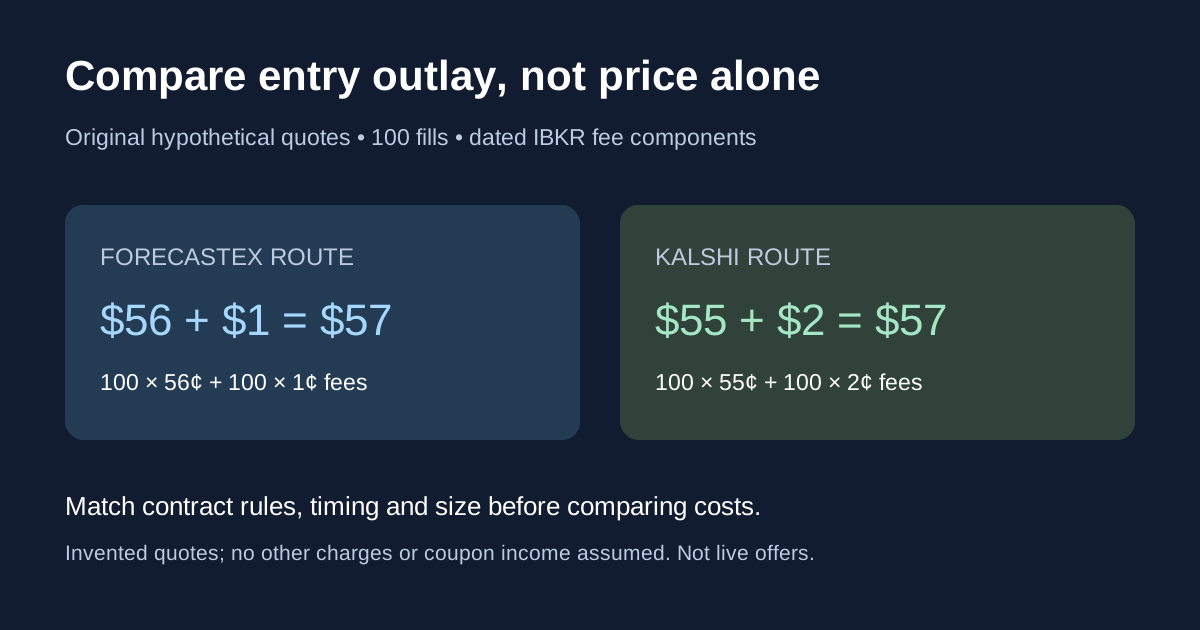
Imagine two otherwise comparable $1-payout Yes contracts. Assume full execution of 100 contracts, the fee components in the table, no other charges and no coupon income. The quoted prices are invented, and no claim is made that these contracts or quotes actually coexist.
| Hypothetical route | Purchase price | Contract outlay | Entry fees | Total entry outlay |
|---|---|---|---|---|
| ForecastEx through IBKR | $0.56 | 100 ×$0.56 =$56 | 100 ×$0.01 =$1 | $57 |
| Kalshi through IBKR | $0.55 | 100 ×$0.55 =$55 | 100 ×$0.02 =$2 | $57 |
The lower displayed purchase price does not produce a lower entry outlay here. If both fictional prices were instead $0.55, the stated entry totals would be $56 and $57 respectively. That $1 difference follows from the assumed 100 fills and listed entry components.
For the original $57-outlay examples, an assumed $100 winning settlement leaves $43 before any other charges. A $0 settlement loses the $57 entry outlay. Neither outcome includes a later exit transaction or establishes its costs. For an early close, calculate that transaction separately using its actual mechanics, price and charges.
What ForecastTrader’s published workflow shows
The IBKR Campus lesson describes browsing categories, choosing an outcome, reviewing price history and inspecting the event’s rules, timeline and data source. Its order example includes quantity, limit price, time-in-force and a preview of account impact. It also distinguishes positions, open orders and completed trades.
Use those as separate checkpoints. A submitted order is not necessarily a fill; a remaining order is not the same as a remaining position. Preserve actual execution records rather than inferring ownership from an order ticket.
The lesson’s ForecastEx example closes a Yes position by buying the corresponding No contract. That exchange-specific explanation should not be generalized to every product in the broker’s multi-exchange interface. Follow the exact instrument’s current rules and ticket.
A ForecastEx incentive coupon is a separate cash-flow category
IBKR’s product disclosures describe a ForecastEx incentive coupon based on closing position values, accruing daily and paid monthly, at a rate subject to change. Do not apply it automatically to every Kalshi or CME contract merely because it appears in the same brokerage interface.
Record purchase outlay, fees, coupon payments, any close-out and final settlement separately. A coupon does not remove outcome risk, and a headline annual rate is not the return on a position held for a few days. The cost example deliberately excludes coupon income rather than inserting an unearned estimate.
Interactive Brokers prediction markets review: who should compare it?
The published unified-account design is relevant to readers comparing broker access across exchanges. The useful question is whether the actual eligible listings, account workflow and costs fit the transaction being evaluated.
| Potential fit to investigate | Evidence to collect | What it does not establish |
|---|---|---|
| You already use a broker account | Entity, permissions and available contracts | Automatic product eligibility |
| You want to compare venues | Matched rules, timestamps and executable size | Identical settlement conditions |
| You compare headline fees | Broker fee, exchange fee and order estimate | Lowest total execution cost |
| You may exit early | Instrument-specific closing workflow and depth | A guaranteed exit price or fill |
A document-based review cannot establish execution speed, fill quality or support responsiveness for a customer. Those require reproducible observations. Compare actual account records before describing one route as better.
Build a useful broker comparison
Download the original comparison checklist. Use one row for each exact contract and account route; keep unknown fields blank rather than treating them as zero.
Match the event question and settlement rules first, then quantity, executable price and costs. Our market-microstructure guide explains why a chart price may differ from your full-size execution. The implementation-shortfall guide covers incomplete orders.
Alphascope’s market news supports event research. It does not approve IBKR permissions or verify an account’s trading costs. Keep research evidence, broker access and execution records distinct when evaluating a prediction-market position.