
On this page
Cashing out a Kalshi Predictions position early means selling contracts before settlement. A sell request is not proof that every contract sold. Buyers, permitted prices, available quantities and account restrictions affect execution. Only completed fills produce sale proceeds.
Reviewed October 6, 2026 against the official portfolio guide and quick-order sale instructions. This walkthrough is documentation-based; we did not execute an account trade. It concerns Predictions positions, not the separate perpetual-futures margin account.
How to sell on Kalshi
The quick-order help describes opening the market's sell tab, reviewing the quantity available under Your Position and selecting the number of contracts. It shows an average price and estimated payout before submission. The newer portfolio guidance describes Cash Out in the mobile app as opening the sell flow.
- Confirm the account, contract and side you actually hold.
- Open its sell flow and review the eligible contract quantity.
- Check the price, estimated proceeds, fees and order settings.
- If you decide to submit, preserve the order reference.
- Inspect the executed quantity and prices, not just the requested quantity.
- Reconcile any remaining contracts and open orders with the cash record.
An estimate can change before execution. Use the actual fill record to establish what sold. Read the current interface and relevant help if its labels differ from this documented walkthrough.
Full fill, partial fill and no fill
| Observed result | What happened | What to reconcile |
|---|---|---|
| All requested contracts filled | The submitted quantity sold | Actual proceeds and fees; other positions remain separate |
| Only part filled | Some contracts sold; others remain | Filled quantity, remaining position and any resting order |
| No contracts filled | The request produced no sale proceeds | Order status, permitted price, liquidity and restrictions |
The limit-sale guide makes execution conditional on a buyer at the permitted price. Existing orders and collateral requirements can constrain what is sellable. A rejected order, an open unfilled order and a completed partial sale are different states.
A partial-exit example
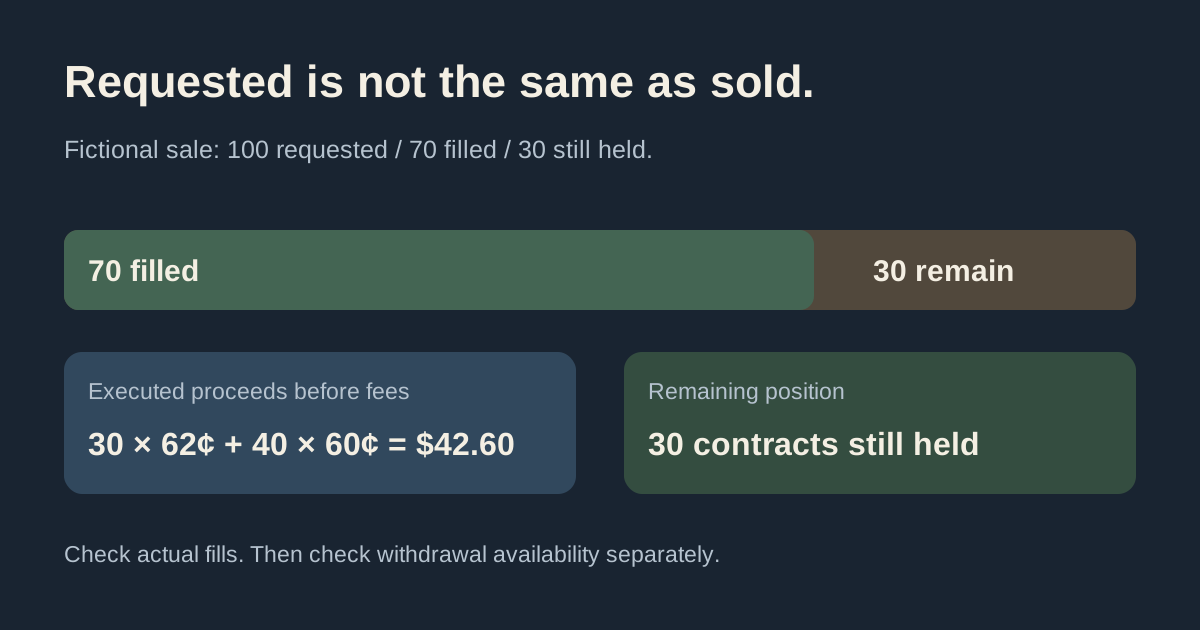
Imagine you own 100 contracts purchased at 40¢, for a $40 cost before fees. A fictional bid book offers to buy 30 contracts at 62¢ and another 40 at 60¢. Assume you request a sale of 100 with a 60¢ minimum and those bids execute unchanged.
The sale fills 70 contracts: 30 × $0.62 + 40 × $0.60 = $42.60 before fees. The remaining 30 contracts still belong to you. This does not produce the $62 suggested by multiplying the top bid by all 100 contracts.
Under the example's equal purchase price, the sold contracts had a $28 purchase cost. Their realized gain is $14.60 before fees; that is separate from the remaining contracts' value and eventual result. If the 30 remaining contracts later settle to $0, total proceeds across the position would be $42.60 against the original $40 cost, or $2.60 before all fees. Those later proceeds are a scenario, not a prediction.
Use the slippage calculator to explore order-book depth. For one trade's cost and potential settlement payout, use the profit calculator. Neither tool verifies your current account or promises a fill.
Try the Kalshi limit-order simulator and load its sell example to compare the same partial exit under GTC, IOC and FOK.
Why current value can differ from your sale
The official portfolio page describes mobile Current value as a cash-out estimate based on available bids and estimated sell fees. Limited liquidity can mean it covers only part of the position. The displayed position value and a completed sale amount should therefore be checked separately.
Do not treat a change in displayed value as a completed transfer into cash. Compare the account and timestamp for each figure, then trace the executed quantity. The portfolio-versus-cash guide explains balance labels and credit treatment.
What to check when some contracts remain
- Compare the requested, executed and remaining quantities.
- Read the order's current state and any explicit error or restriction.
- Inspect whether another resting sell order already reserves quantity.
- Check the permitted price against current bids and their size.
- Distinguish an active position from an unfilled purchase or a different account.
Canceling an unfilled remainder does not undo completed fills. Reconcile the cancellation confirmation with the order history before submitting a replacement request. Do not infer that changing a price or repeatedly tapping Cash Out will resolve an unexplained account restriction.
Selling is separate from withdrawing
A completed sale and a bank transfer are separate transactions. The security-holds guide explains account withdrawal availability. Check that screen before treating sale proceeds as eligible for an external payout.
Use the withdrawal guide for the next workflow. Selling before settlement, receiving an event settlement and requesting an external payout are different actions.
A focused question when the records do not match
Save the market ticker, account type, side, requested quantity, filled quantity, time and sanitized status. Ask which restriction or order explains the difference. Use the official support routes for a private account issue and keep credentials out of screenshots.
For general mechanics, see the event-contract trading guide. This article explains how to inspect an early exit, not whether selling or holding is the better decision for you.