
On this page
Your Kalshi Predictions portfolio value is cash plus the displayed value of your positions. It is not the same as the amount you can withdraw. Kalshi also shows nonwithdrawable credit, which is already included in cash. Adding that credit a second time overstates the total. These definitions come from Kalshi's portfolio guide, checked October 6, 2026.
This article answers “what does portfolio mean on Kalshi?” for prediction-market balances. Perpetual futures use different margin calculations; do not apply this example to the separate Invest account.
Waiting for an event payout? Read the Kalshi settlement timing guide to distinguish market close from a cash credit.
Kalshi portfolio vs cash: the useful distinction
| Number | How to interpret it | What it does not establish |
|---|---|---|
| Portfolio value | Cash plus displayed position value | A guaranteed withdrawal or sale amount |
| Positions | Displayed value of contracts you hold | The proceeds available for your full size |
| Cash | Funds outside positions; may include credit | Trading profit alone |
| Credit | Nonwithdrawable credit already counted in cash | Extra money to add to the total again |
| Available to withdraw | The amount shown in the withdrawal flow | The entire headline portfolio balance |
Read the number's label before doing the arithmetic. “My balance is $100” can refer to portfolio value, cash, buying capacity, or an available withdrawal. Those questions require different answers.
A simple portfolio example
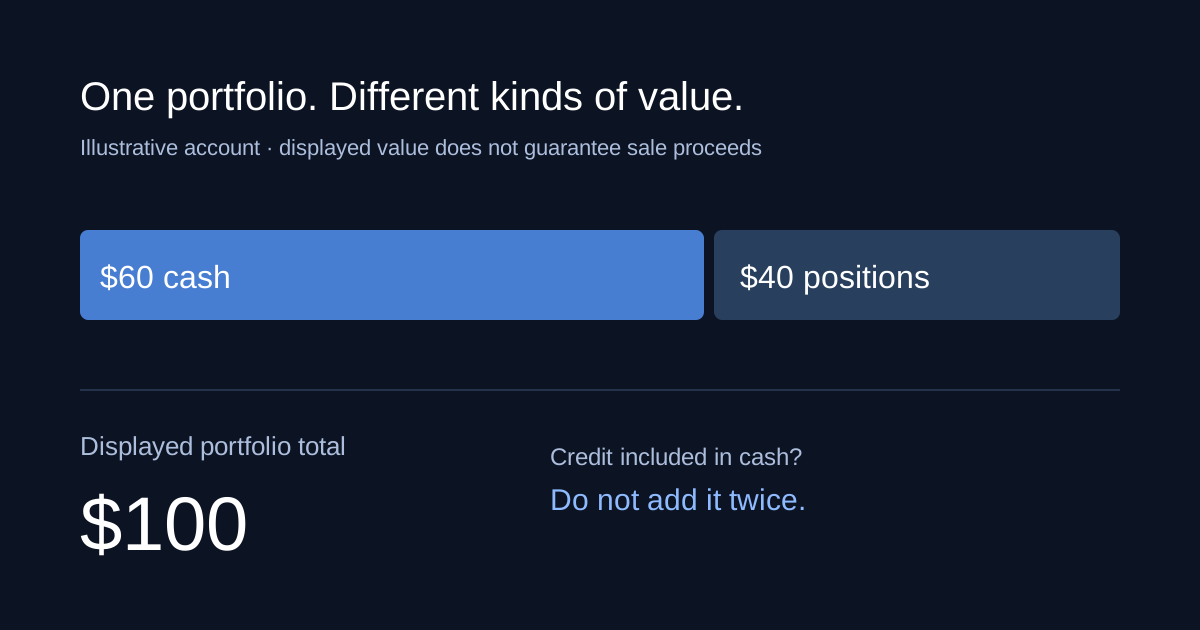
Imagine an illustrative account with $60 in cash and a position displayed at $40. The portfolio total is $100. If a $10 credit is already included in the cash figure, the total remains $100, not $110.
Now imagine the position's displayed value rises to $50 while cash stays at $60. Portfolio value rises to $110. That change does not by itself put $10 into the cash balance. A higher displayed valuation and a completed sale are different events.
Suppose you later sell the entire position for $45 before fees. In this simplified example, removing the position and adding the sale proceeds leaves $105 in cash before fees and other adjustments. The earlier $110 display was not a promise that all contracts could be sold at that valuation.
Use the slippage calculator to explore why a larger sale can reach several bid prices. Compare an order's actual filled quantities and prices rather than multiplying the headline quote by every contract you hold.
Cash is not the same as profit
Kalshi's cash explainer describes cash as unallocated funds, with deposits initially entering that balance. A deposit can therefore increase cash without producing any trading gain.
For your own reconciliation, keep money you contributed separate from money earned or lost through positions. In a simple account without credits, interest, or adjustments, a useful starting calculation is ending account value plus withdrawals, minus deposits. Add a clear valuation date and account for fees before interpreting the result.
That arithmetic is a reconciliation aid, not a replacement for the platform's transaction history. If credits or other adjustments exist, trace each item instead of assuming every increase came from successful trading. For a specific binary trade's payout and purchase cost, use the profit calculator.
Why portfolio value can exceed withdrawable funds
Kalshi's security-hold guide explains that funds in open positions are unavailable for withdrawal until those positions close. Deposit holds can also apply, depending on payment method and withdrawal destination. The account's withdrawal screen shows the relevant availability time.
Check these separately: are funds still in a position, has a sale actually executed, is a deposit under a hold, and does the balance contain nonwithdrawable credit? A single total cannot answer all four. Do not make an extra deposit merely to try to unlock an unexplained balance; first identify the rule shown for your account.
For the process of requesting a transfer, see the Kalshi withdrawal guide. This article explains the numbers you should reconcile before starting that process.
How to investigate a balance that looks wrong
- Record the account and timestamp. Compare balances from the same account at the same moment.
- Separate cash from position value. Recalculate the displayed total without double-counting credits.
- Trace completed transactions. Identify deposits, executed purchases and sales, settlement entries, withdrawals, fees, and adjustments in the history.
- Check execution details. A requested quantity is not proof that the entire order filled. Compare the fill record with the quantity remaining.
- Read the withdrawal message. Save the availability date or restriction before asking support to investigate.
When contacting support, give the transaction reference and the two figures you cannot reconcile, with their timestamps. Avoid posting identity documents or full payment details in public discussion threads.
Keep valuation separate from your forecast
A displayed gain describes market valuation at a moment. It does not prove that the underlying event has become certain or that exiting will recover that exact amount. Read the contract's settlement rules and compare executable depth with your planned position size.
Alphascope helps you research market odds, forecast context, and related news. For execution costs, read slippage on Kalshi and Polymarket; for differences in resolution language, read our settlement-rules guide.
All account figures above are illustrative. Check the official help pages and your account's current messages for applicable rules.