
On this page
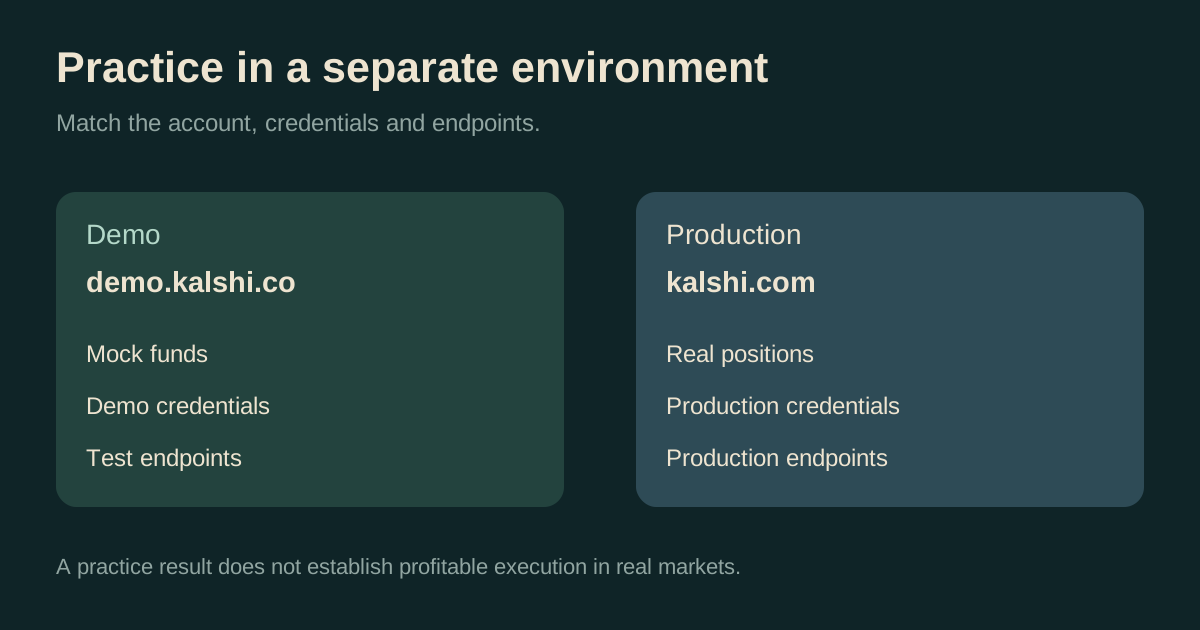
Kalshi demo is a separate practice environment using mock funds. The official demo documentation points to demo.kalshi.co. Accounts and credentials are separate from production, and demo market behavior need not represent real-market behavior.
Reviewed October 6, 2026. The official landing page was checked without signing in; the funding instructions below are documentation-based, not a completed deposit test. Alphascope does not host the demo or provide a Kalshi login.
The official Kalshi demo link
Use https://demo.kalshi.co/. Kalshi's account tutorial explicitly identifies the .co address and says the .com version is invalid. Open the official documentation when checking a link shared elsewhere.
At review, the unauthenticated demo page showed Markets navigation with Log in and Sign up controls. That confirms the landing page loaded; it does not verify every authenticated feature or that a particular market is suitable for your test.
Set up a demo account
Follow the official signup tutorial with a reachable email and its permitted mock information. New demo accounts are not preloaded with funds.
Decide what you want to learn before adding a mock balance. For a first session, use a simple binary market to understand the distinction between an order, a fill and a position. For an API session, define one behavior to test, such as handling an unfilled limit order or reconciling a partial fill.
How to add mock funds
Kalshi's mock-funding instructions describe these methods:
| Method | Documented test setup |
|---|---|
| Debit card | Published Visa test number 4000 0566 5566 5556, a future expiry and any three-digit CVV |
| ACH | Plaid sandbox credentials from the tutorial; mock balance appears after the test transfer settles |
| Crypto | Test USDC on Solana Devnet, using the documented Circle faucet workflow |
These methods are for the demo. Kalshi warns against sending real cryptocurrency to a demo address because it cannot be recovered. Follow the current tutorial for exact steps and supported methods.
Record which test method you used and what status it shows. A missing balance and an unfilled order are different issues: one concerns funding state, the other execution. Keeping those observations separate makes a support report or integration test easier to interpret.
A useful first practice exercise
- Save the contract question and rules. Identify what decides Yes, the observation source and the deadline.
- Read both sides of the book. Record the bid, ask and available quantity for a small hypothetical order.
- Place a demo limit order only when ready. Observe whether it rests, fills partly or fills fully. Do not treat submitting an order as proof of a fill.
- Reconcile the position. Compare the filled quantity and cost with the remaining open quantity.
- Review an exit or settlement. Distinguish selling at an available bid from receiving a winning settlement payout.
For a fictional normal binary contract, 100 Yes contracts bought at 50¢ cost $50 before fees. If Yes wins and pays $1 per contract, payout is $100 and gross profit is $50; if it loses, payout is zero. Use the profit calculator to explore the arithmetic and the expected-value calculator to include an estimated probability and costs. Neither supplies a live venue quote.
Keep a small test journal: the question, intended order, observed fill, remaining order, position and result. A test is more useful when you can explain what happened than when you only remember the final mock balance.
Kalshi demo API endpoints and credentials
The official environment reference lists the recommended REST roots below. Demo keys work with demo endpoints; production keys work with production endpoints.
| Environment | Recommended REST root |
|---|---|
| Demo | https://external-api.demo.kalshi.co/trade-api/v2 |
| Production | https://external-api.kalshi.com/trade-api/v2 |
The same reference lists supported compatibility hosts and WebSocket URLs. Match the entire configuration to the intended environment, rather than changing only one request URL. Our Kalshi API-key guide covers key creation, signing and common authentication checks.
A useful integration test verifies how your client handles errors, repeated updates and partial fills. Keep expected behavior written down before running it. Passing a demo test shows what your client did under those test conditions; it does not establish production liquidity, performance or profitable execution.
If the demo does not work
Check the address, account environment, funding status and exact error. Kalshi's tutorial notes occasional demo maintenance. An unavailable test environment is not, by itself, evidence of a production outage.
For an API problem, compare your key environment with the configured host using the endpoint reference. Separate authentication errors from an empty market result or a rejected order. When asking for help, provide the relevant timestamp and error while keeping private keys and account credentials out of the report.
For a clear issue report and current official contact routes, use the Kalshi support guide.
What a demo result can and cannot prove
Kalshi's demo documentation cautions that prices and market behavior may differ from real markets. A profitable mock session does not demonstrate a trading advantage. Treat it as evidence about your workflow, not a forecast of real returns.
Before evaluating a real contract, check current eligibility, rules, executable prices, depth and fees at the venue. The 15-minute Bitcoin guide shows why even similar price questions can require precise settlement references. The slippage calculator helps explore execution cost using entered values.